Your brand. Our platform.
A white-labeled portal for your investors and a console for your team. Investors see only your firm's name, logo and colors, on your own web address.
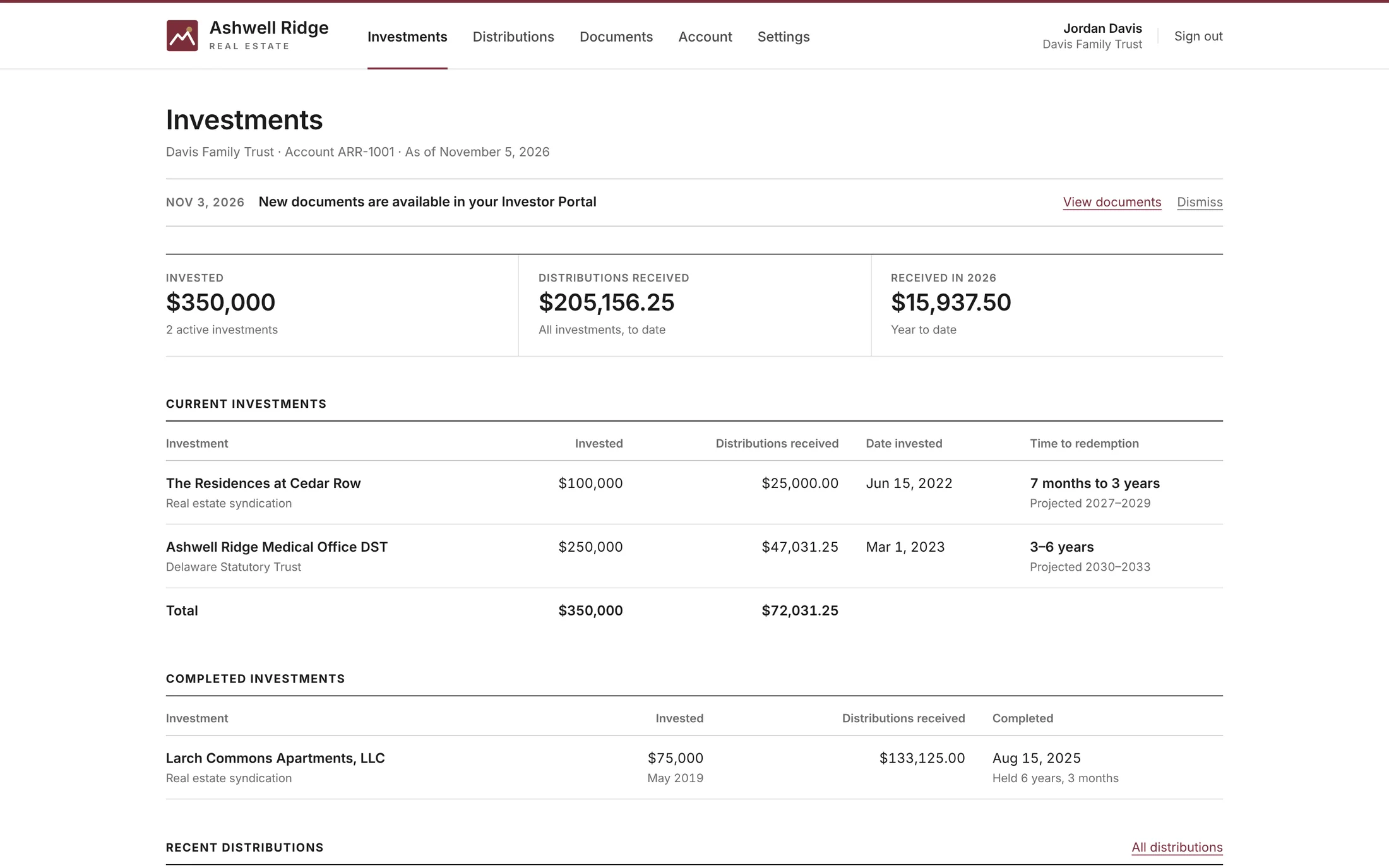
Everything investors need, in one place.
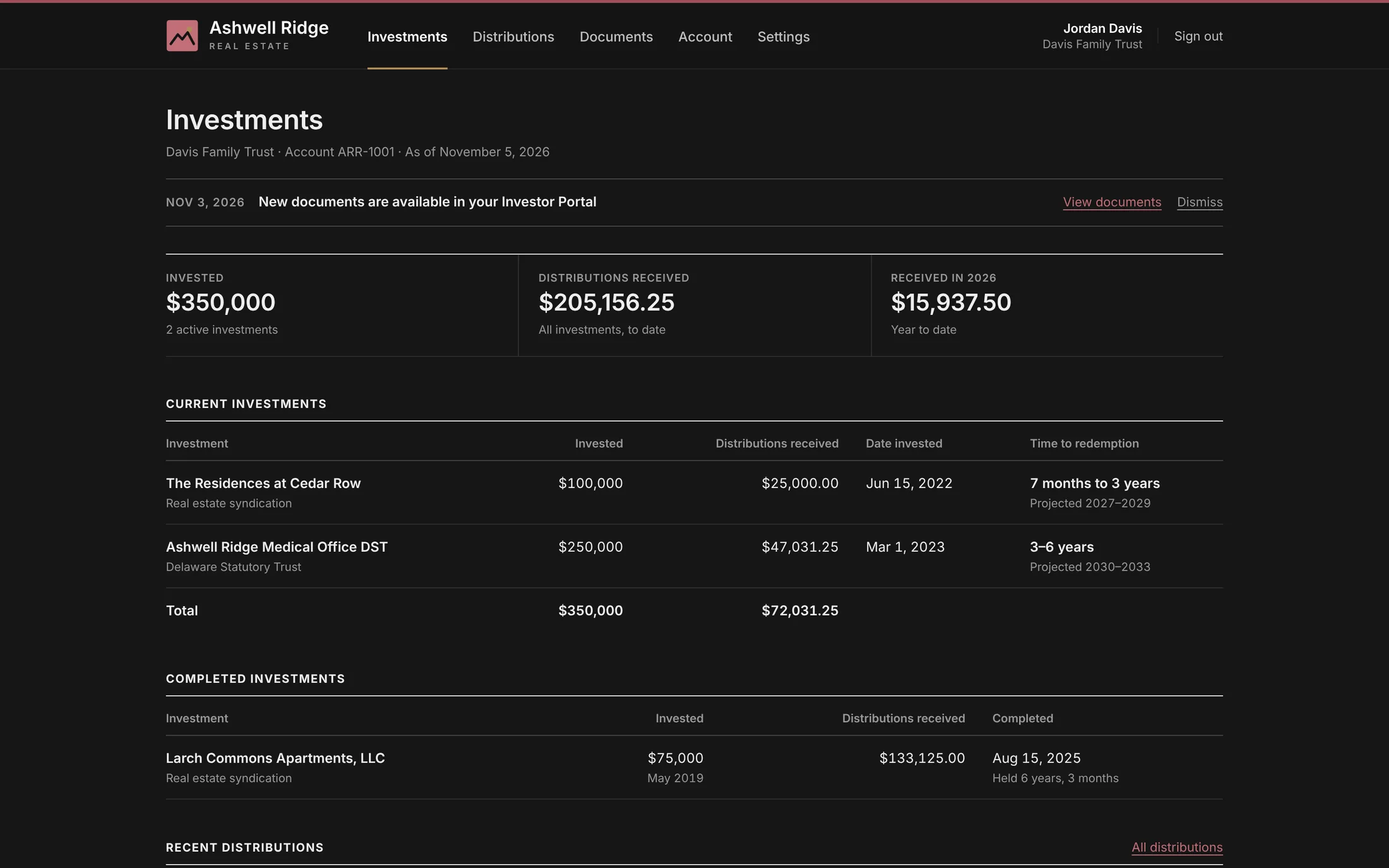
Investors sign in to see every investment, every payment and every document, without having to call your office.
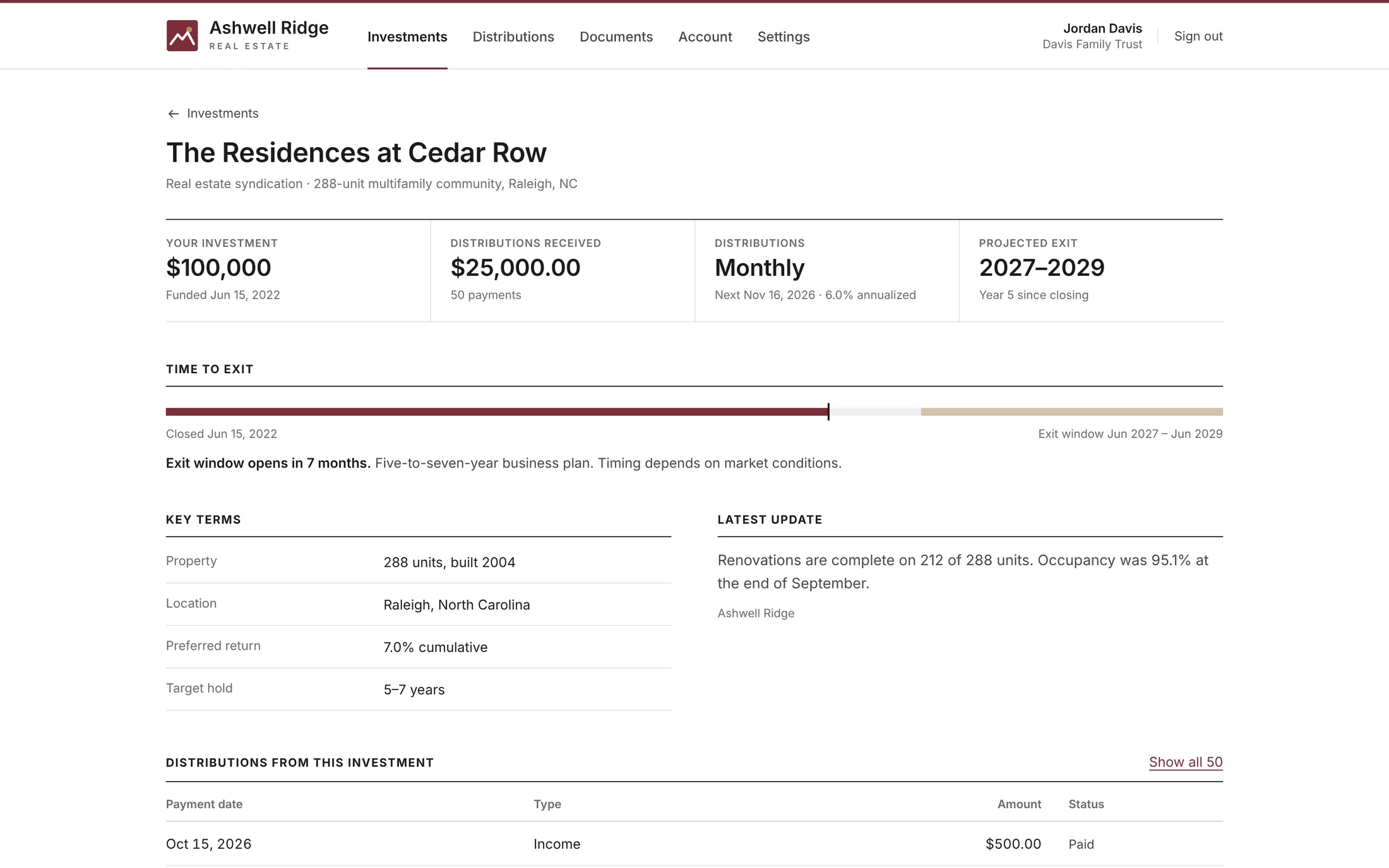
Investment pages
Each investment's figures, a timeline from closing to projected exit, the key terms you choose to show, your latest update, and its payments and documents.
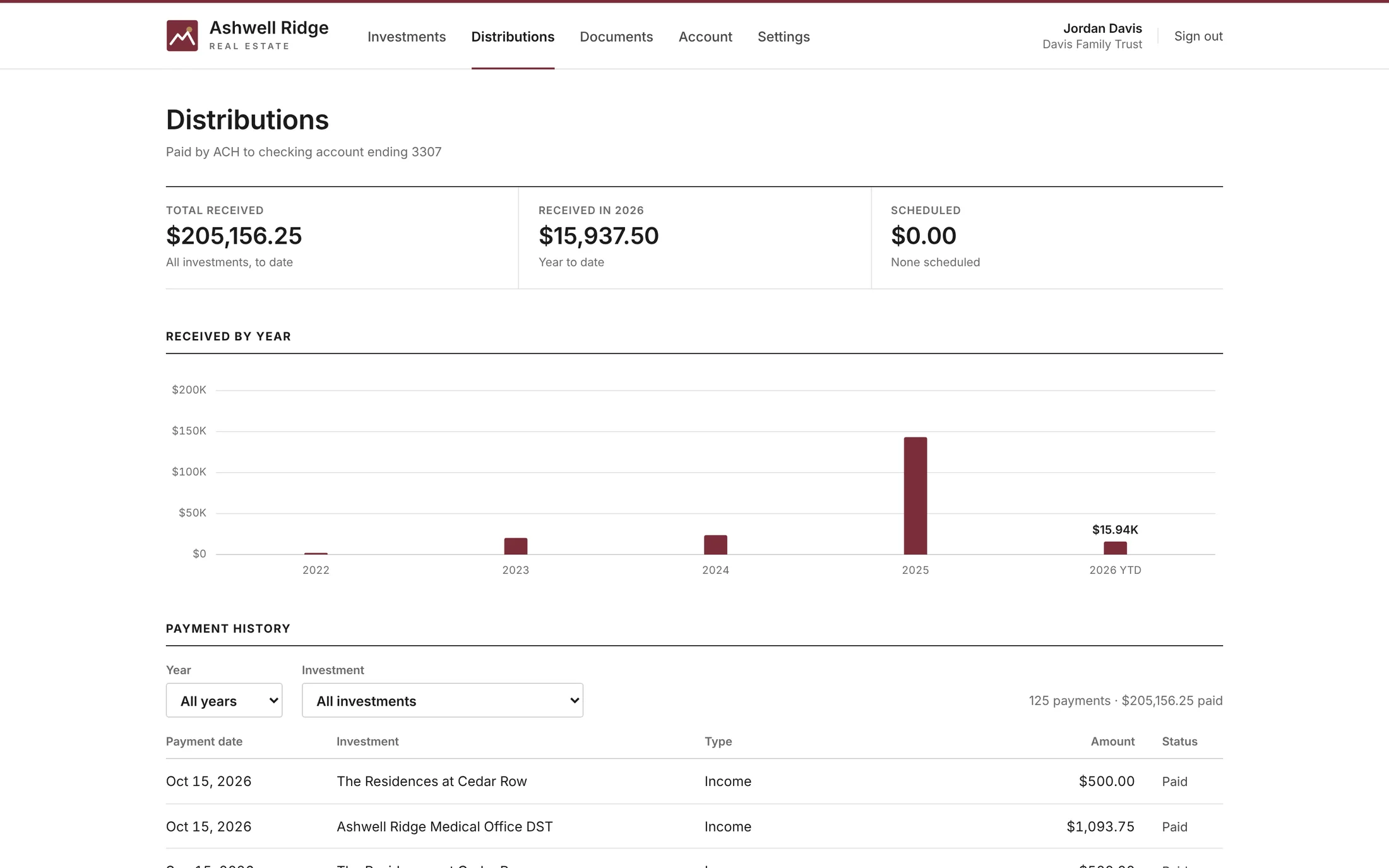
Distributions
Totals, amounts received by year and a full payment history investors can filter by year and investment, plus each investment's next payment date.
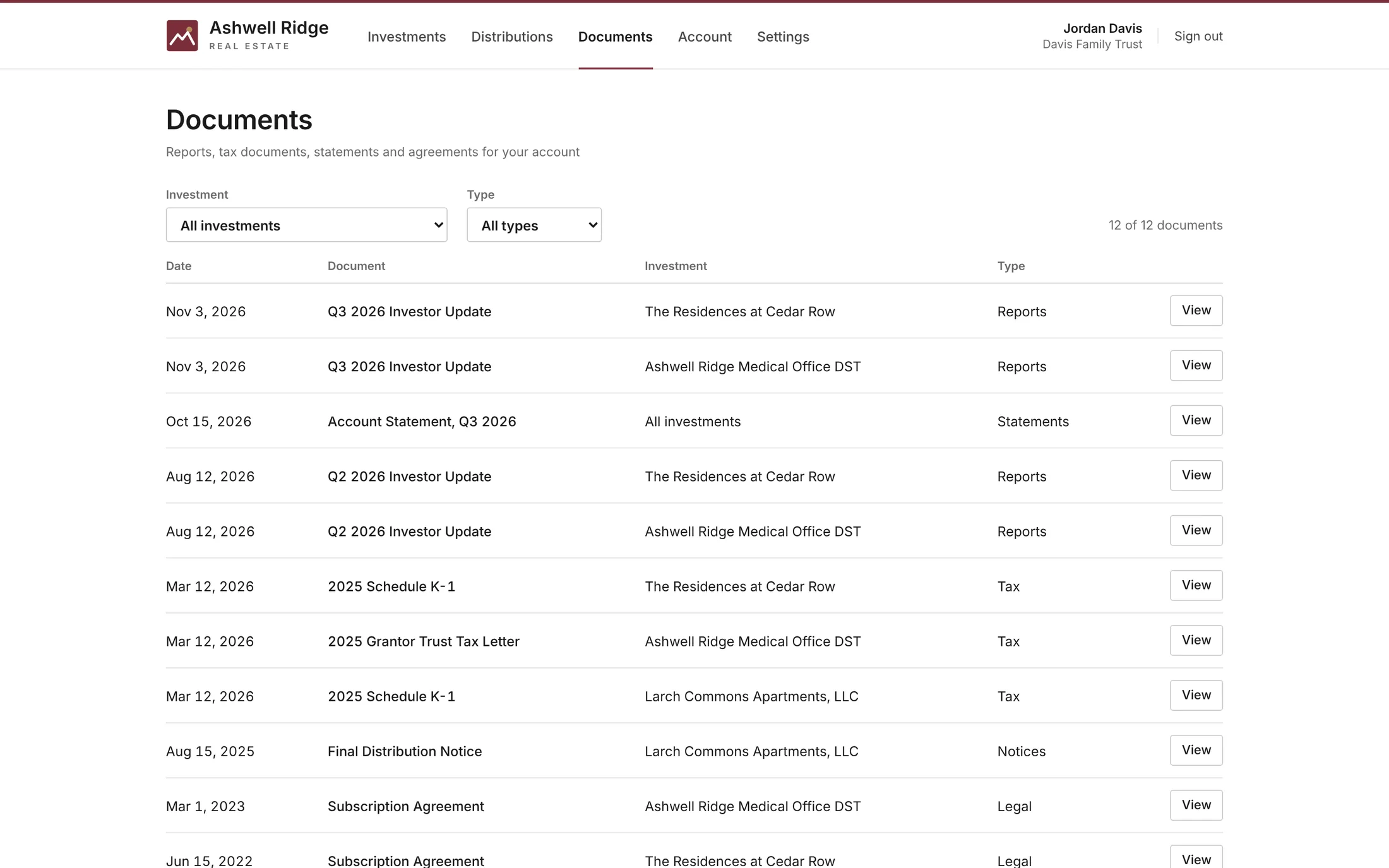
Documents
Investor updates, statements, agreements and tax documents (a K-1, grantor trust letter or 1099-INT, depending on the investment), filterable by investment and type.
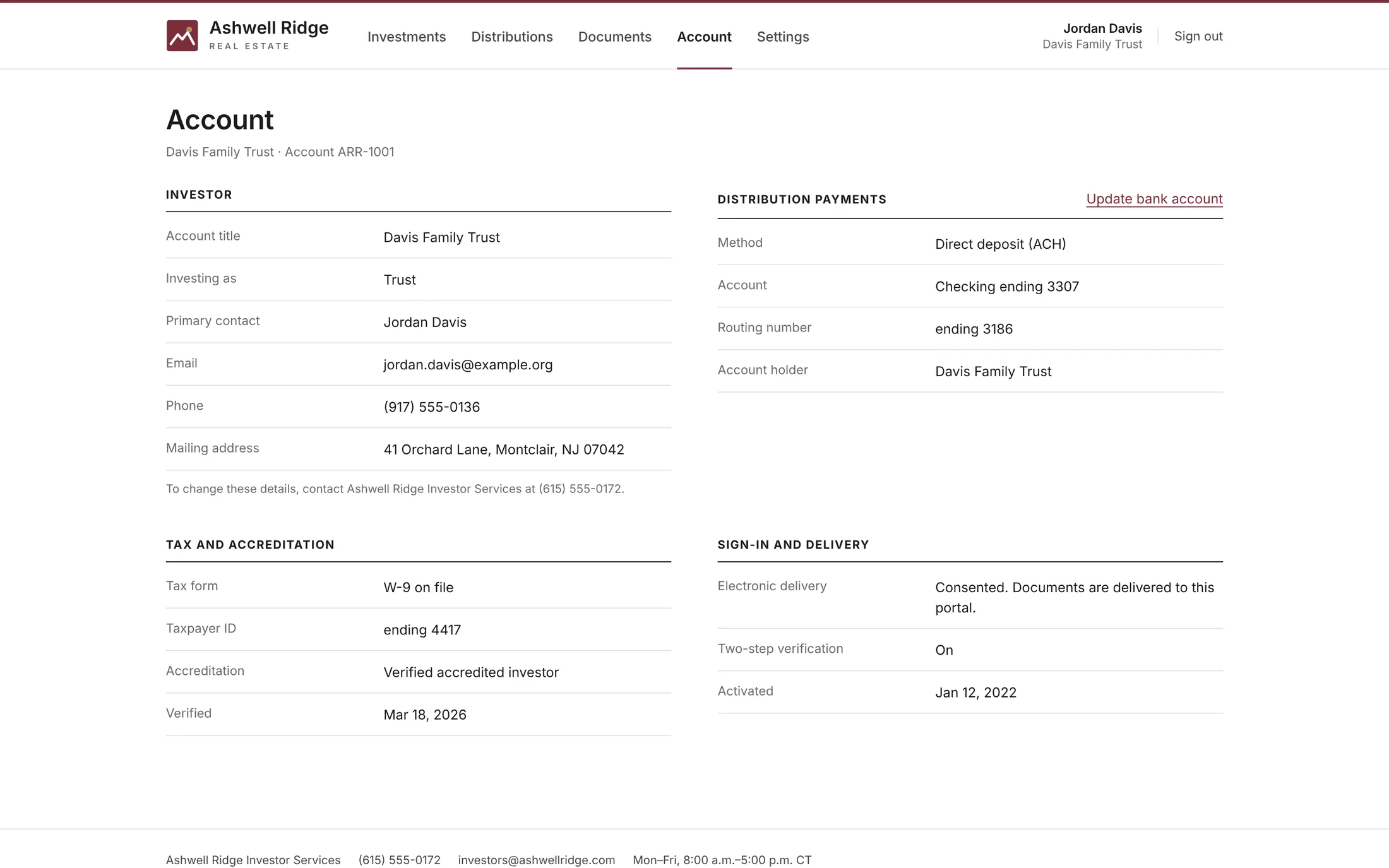
Account
Investor details, the bank account distributions are paid to, tax and accreditation status, and sign-in settings. Bank account changes require re-verification.
Exit timing and payment dates that fit each offering.
Each offering is set up on its own terms, so investors always see how long until exit, described the way that investment actually works.
| EXIT TIMING | TYPICAL USE | WHAT INVESTORS SEE |
|---|---|---|
| Projected exit date | Funds, energy projects | “Projected exit Sep 2029 · 2 years, 10 months remaining” |
| Projected exit window | Syndications, DSTs, co-investments | “Projected exit 2027–2029 · Exit window opens in 7 months” |
| Maturity date | Notes and private credit | “Maturity Jun 30, 2027 · 7 months remaining” |
| No set term | Royalties, evergreen programs | “No set term” plus your note |
| Exited | Sold or repaid investments | “Exited Aug 15, 2025 · Held 6 years, 3 months” |
Payment dates that follow the schedule
Monthly, quarterly, semi-annual or annual payments each have a set payment day. When it falls on a weekend or Federal Reserve holiday, payment moves to the next banking day and investors see why.
Built for private offerings
Ready-made starting points for real estate syndications, DSTs, private equity funds, co-investments, private credit, energy infrastructure, and oil and gas royalties. Everything can be adjusted.
It looks like your firm, because it is.
Every client's portal carries its own identity. These three example firms run on the same platform.
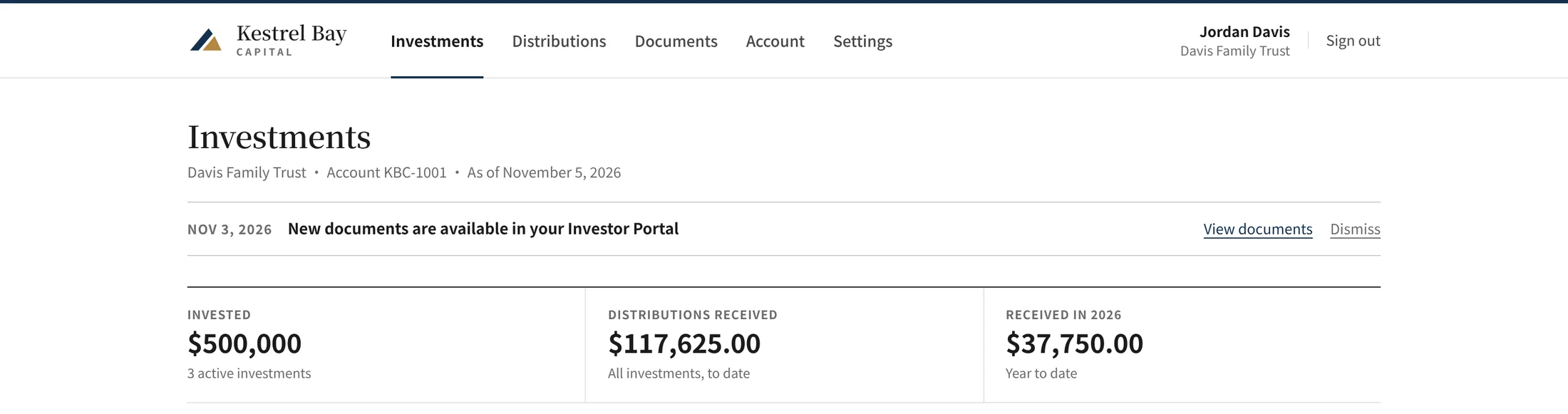
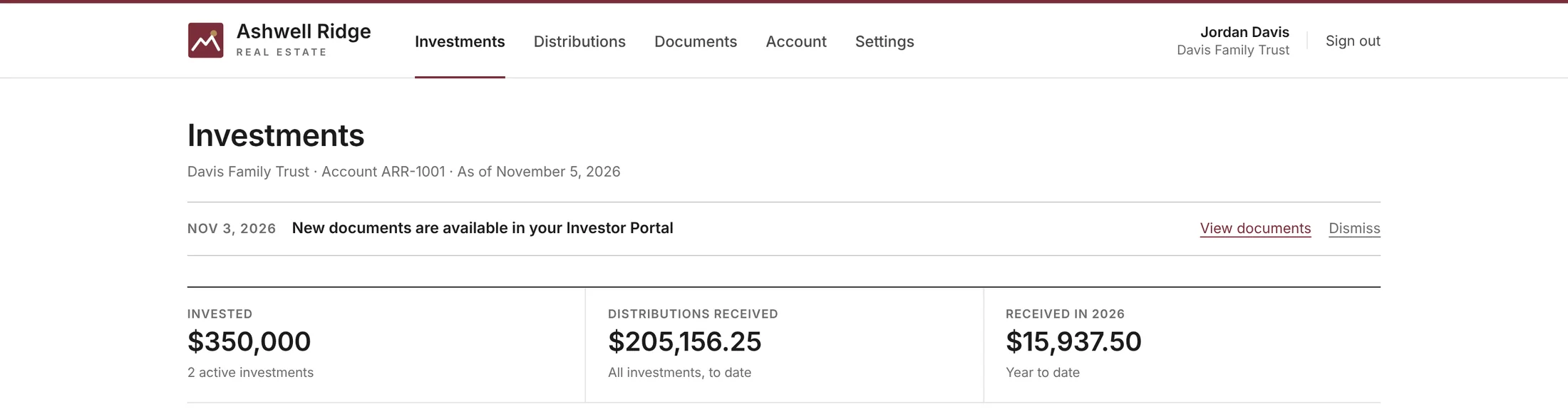
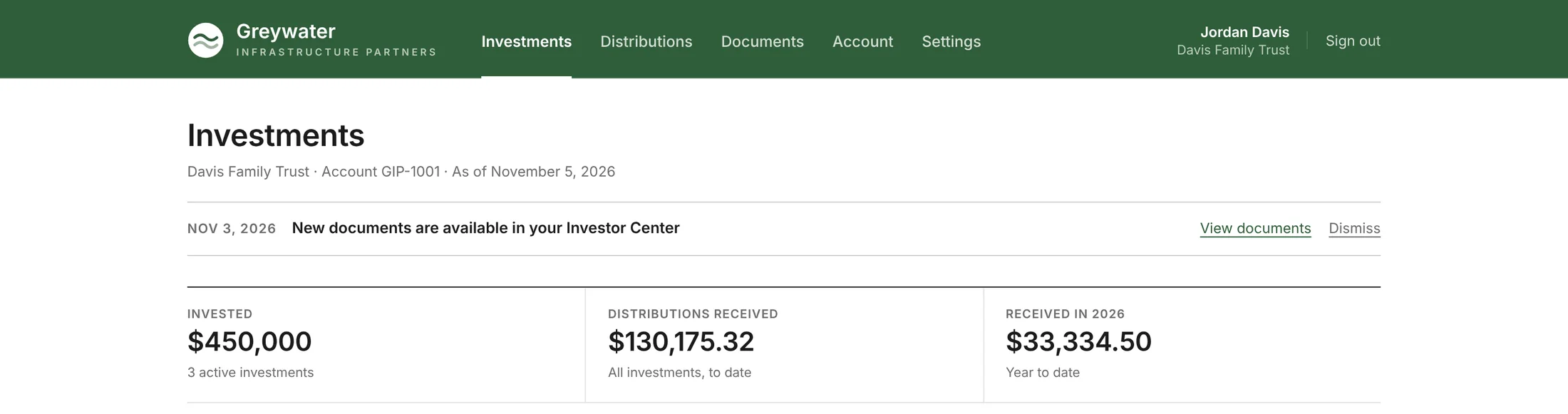
Your logo
Upload your own, or generate one from five ready-made marks. The browser icon follows.
Your colors
Two brand colors become a full light and dark palette. If a color is too light or too dark to read, the portal adjusts its shade to meet WCAG AA contrast, while buttons keep your exact color.
Your typeface and header
Choose a type pairing and a white or brand-colored header.
Your web address
Run the portal on your own domain, such as portal.yourfirm.com.
Your contact details and disclosures
Your investor services phone, email and hours appear on the sign-in page and throughout the portal, along with your disclosures.
Your emails
Invitations and notices go out in your brand, from your firm.
Kestrel Bay Capital, Ashwell Ridge Real Estate and Greywater Infrastructure Partners are fictional example firms. All figures are sample data.
Light or dark, desktop or phone.
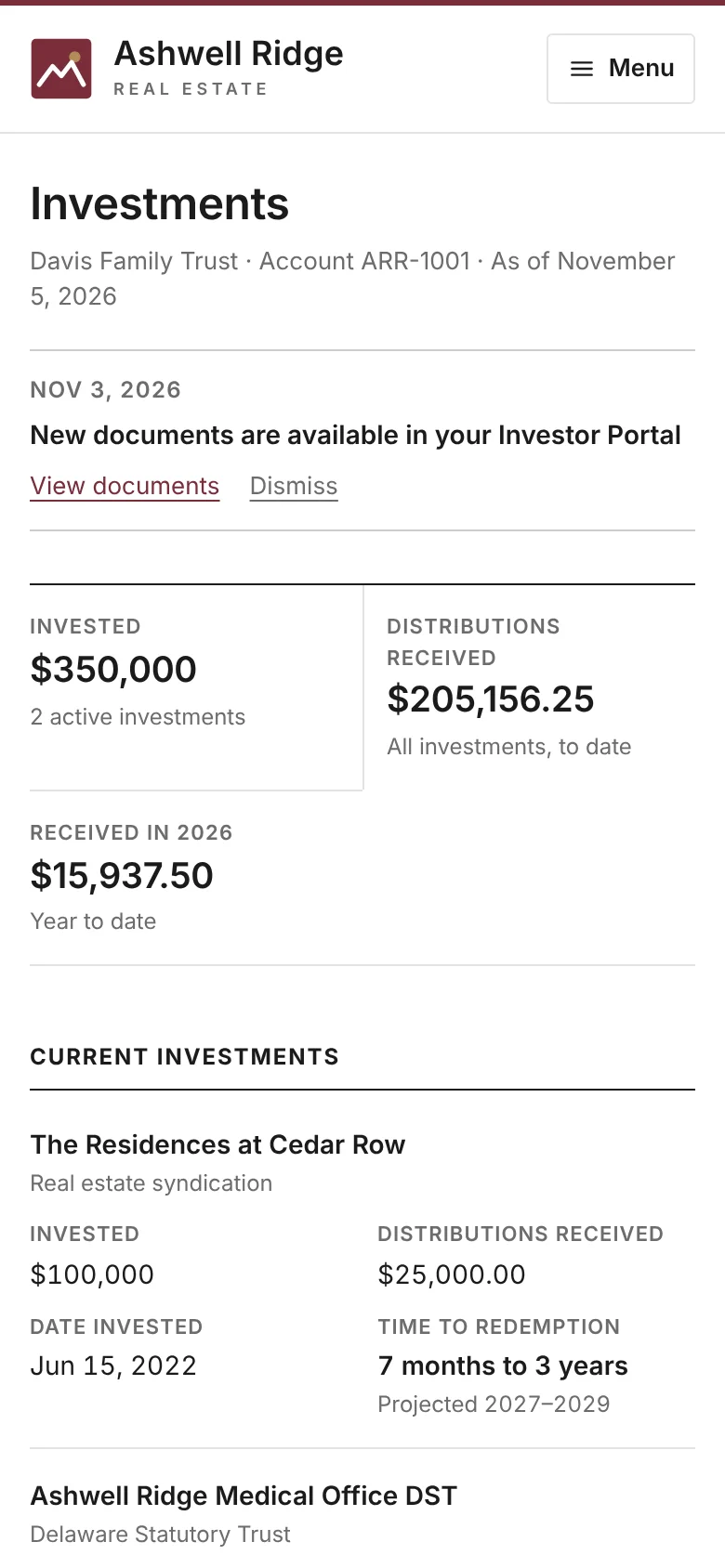
Investors choose light, dark or match their device, and the portal adapts to any screen. The Shareholder Desk app for iPhone and Android opens each investor's account in your firm's branding, with Face ID sign-in on iPhone.
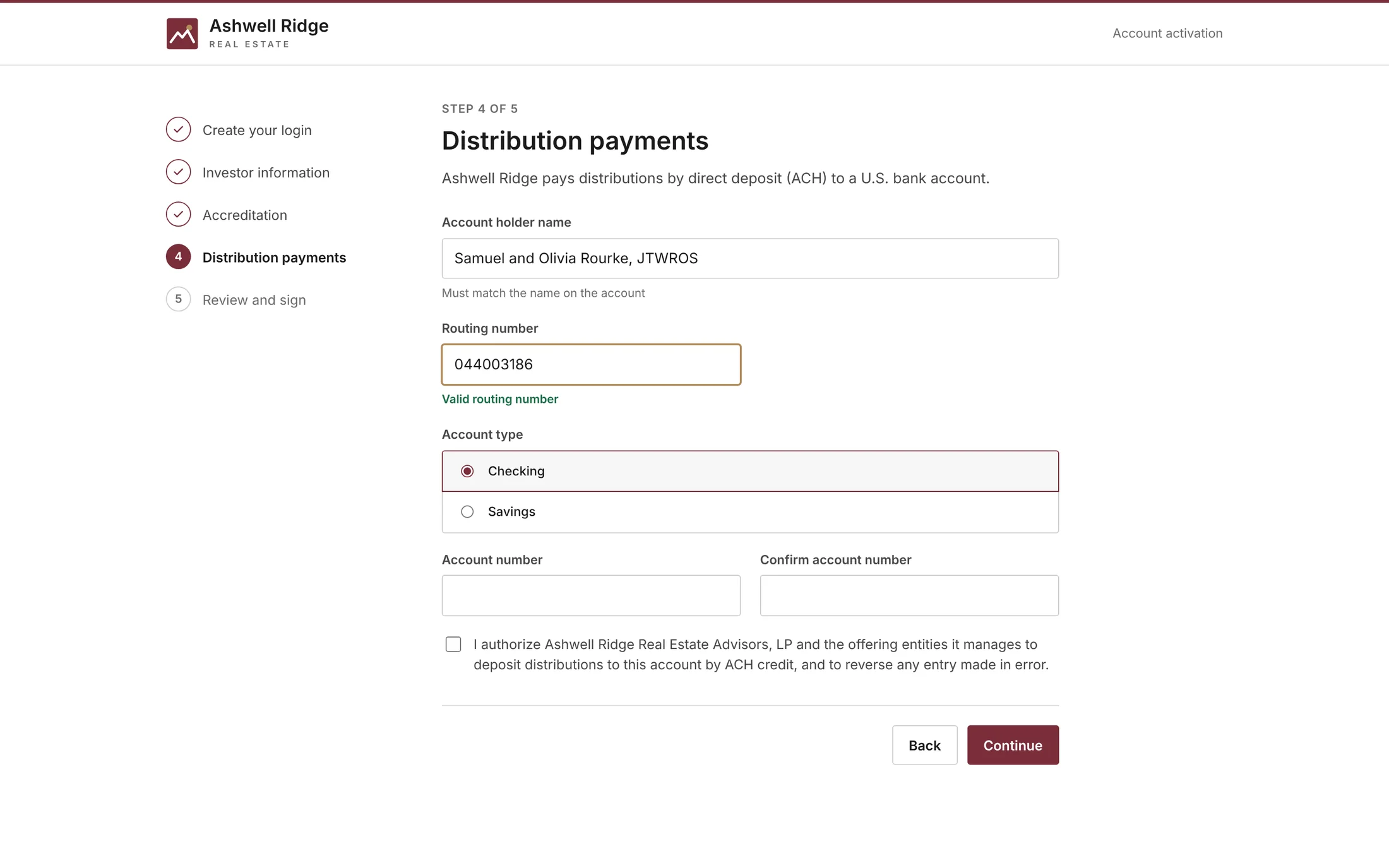
Investors activate in five guided steps.
- Create a loginInvestors set a password from their branded invitation.
- Investor informationEntity type (individual, joint, trust, entity or IRA), name on the account, address and taxpayer ID. Only the last four digits of the taxpayer ID are kept.
- AccreditationInvestors confirm accredited status. This step can be turned off.
- Distribution paymentsBank details with live routing-number validation and an ACH credit authorization. Check by mail can be allowed.
- Review and signE-delivery consent, substitute Form W-9 certification and a typed signature.
Once an investor activates, their bank account is included in the next NACHA file automatically.
A console for your team, in your colors.
Your staff manage offerings, investors, payments, notices and reports in one place, branded to your firm.
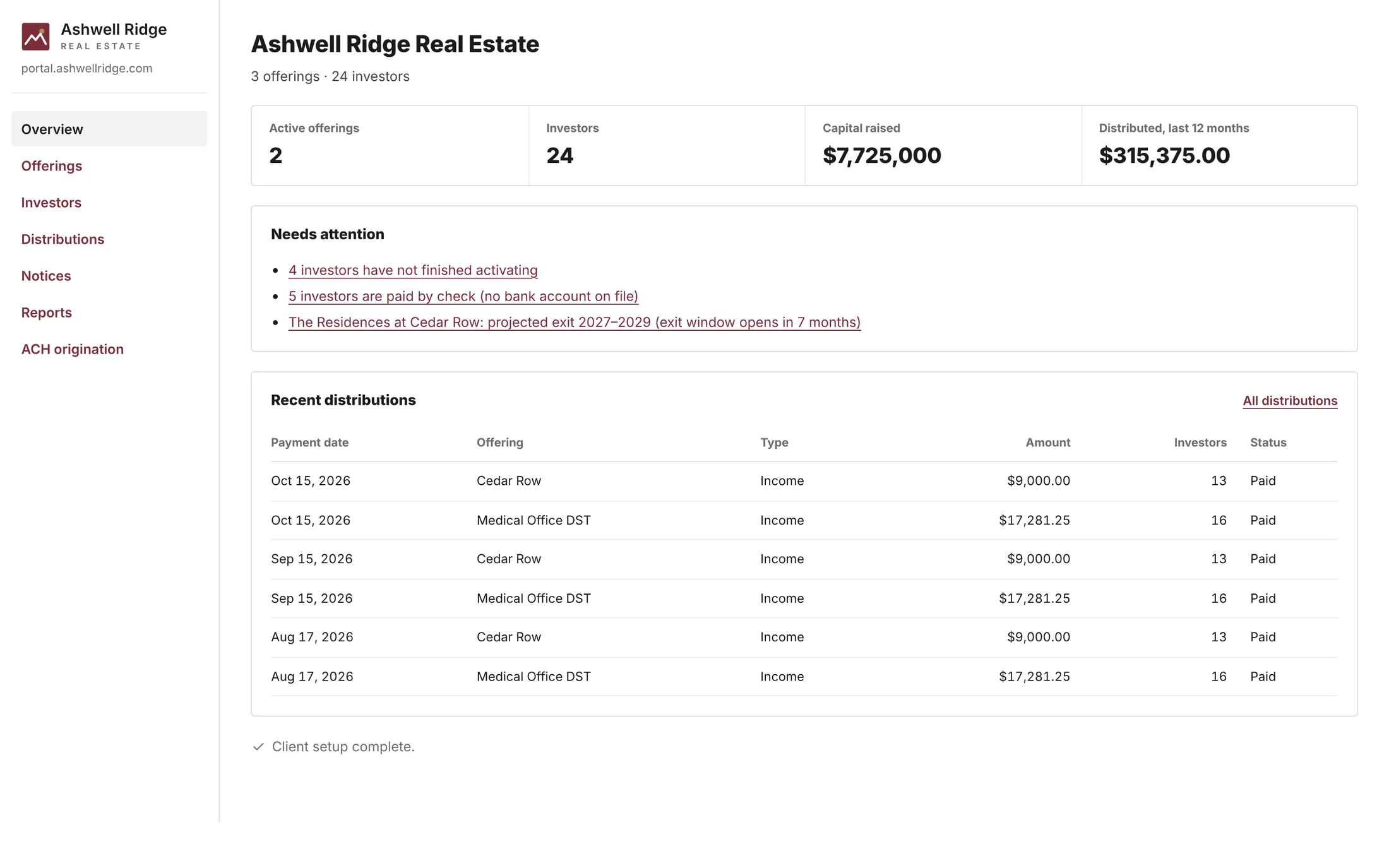
Overview
Key figures and what needs attention: investors who have not activated, investors without bank details, and exits or maturities in the next 12 months.
Offerings
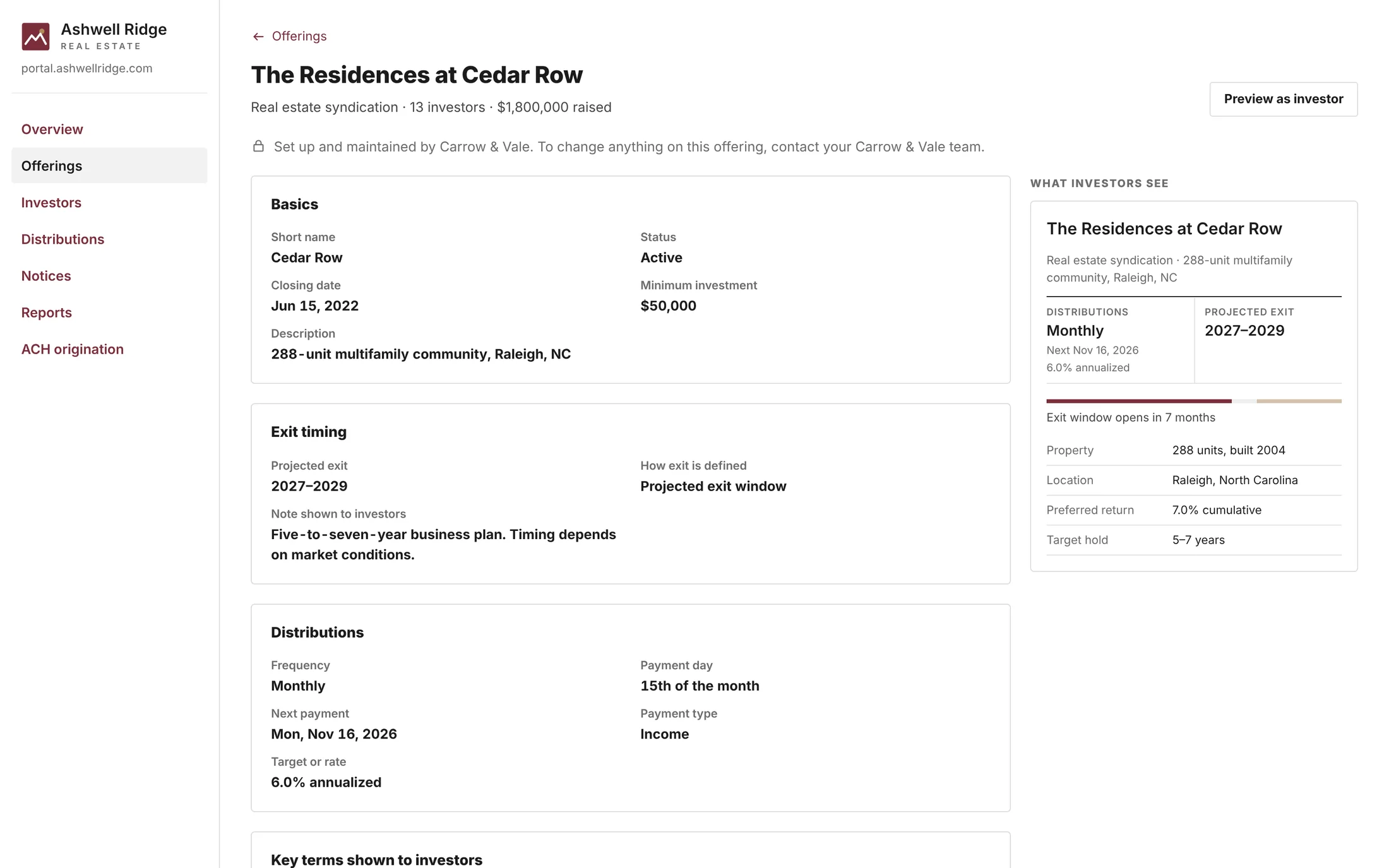
Each investment set up separately (type, closing date, exit timing, distribution schedule, key terms and ACH details) with a live preview of what investors see.
Investors
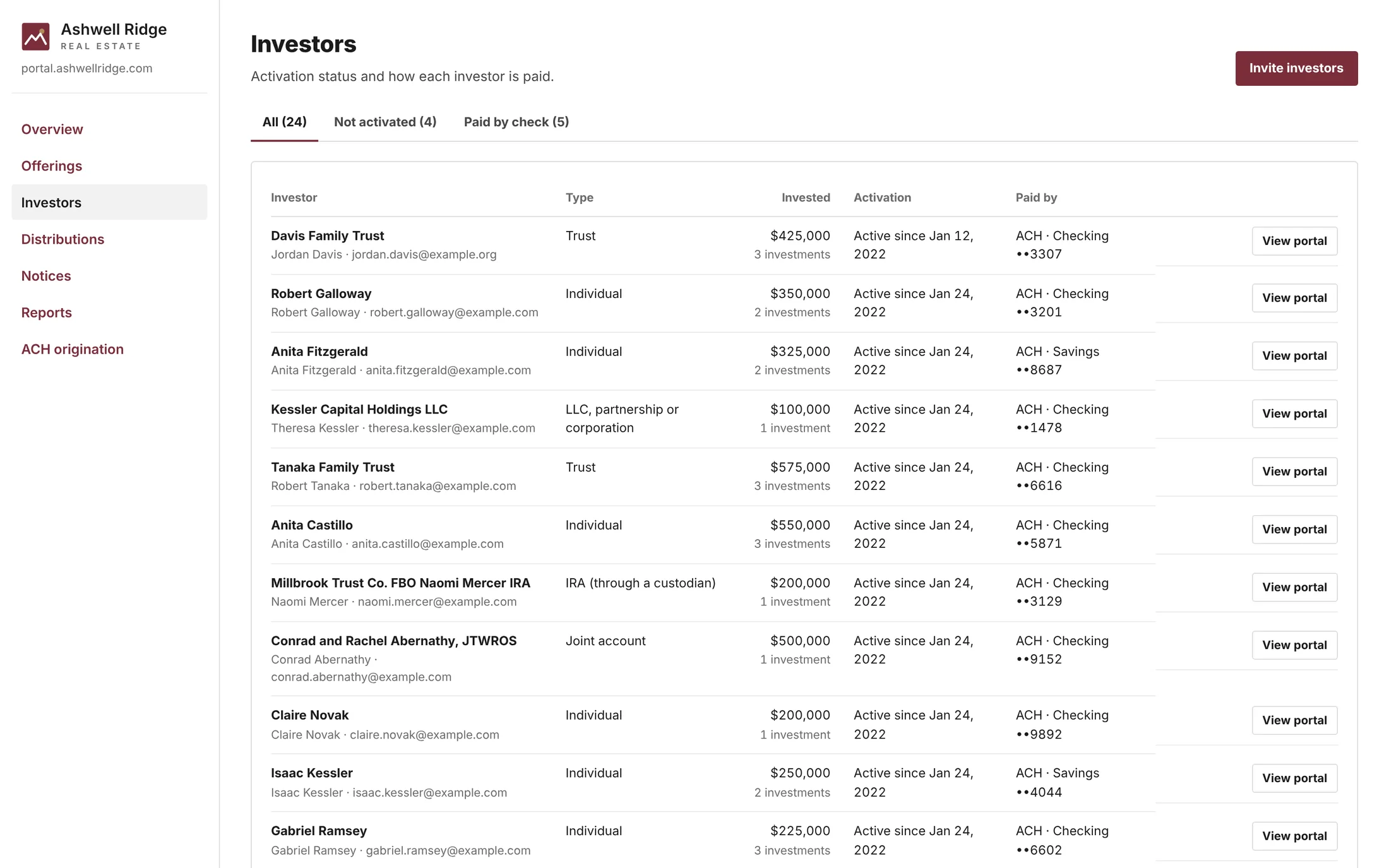
Activation status and payment method for every investor. Invite one investor or import a list, preview the branded invitation, and view the portal as any investor.
Notices
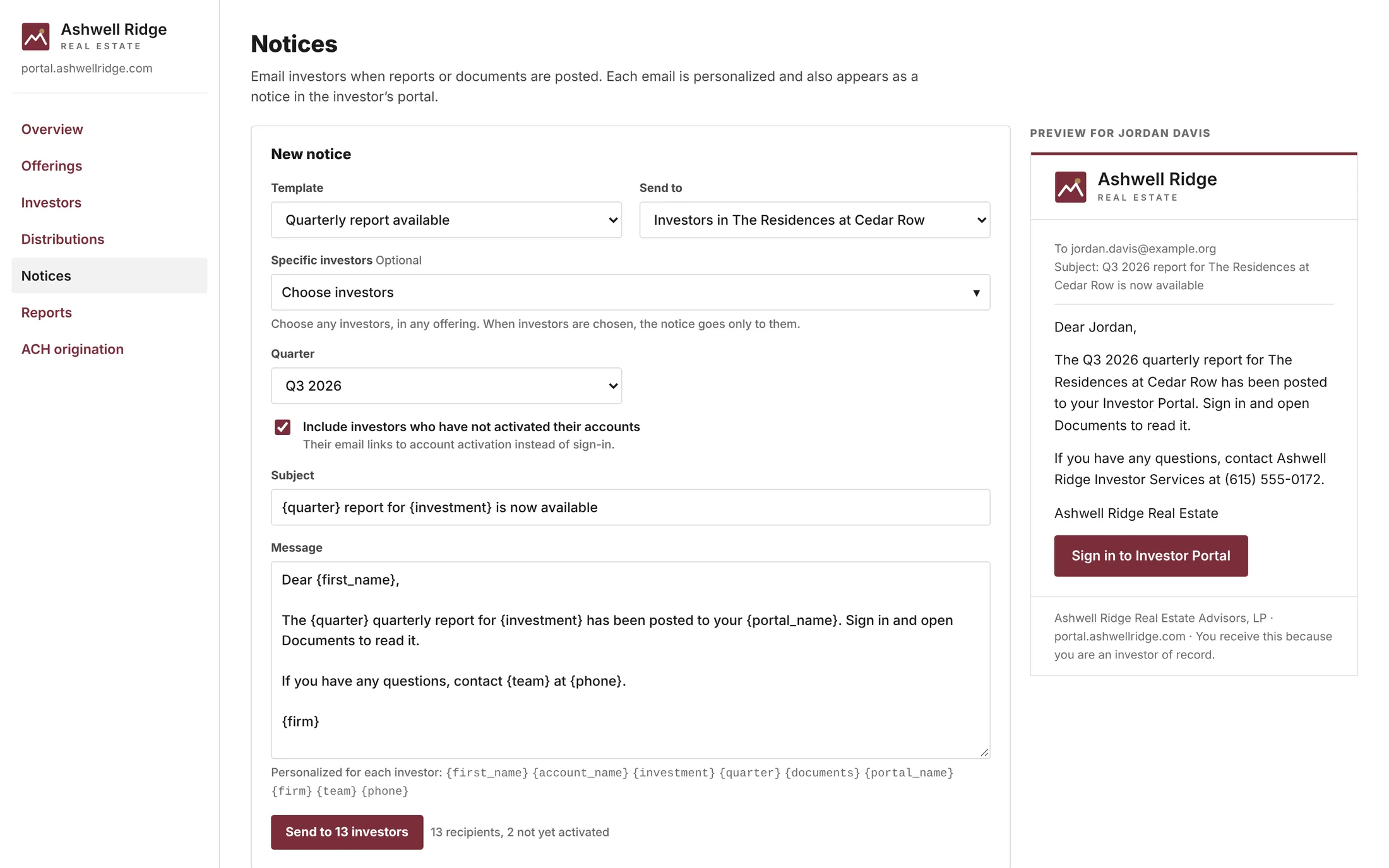
Email investors when a quarterly report or new documents are posted, with templates, personalized merge fields, any audience, a branded preview and a sent history.
Reports
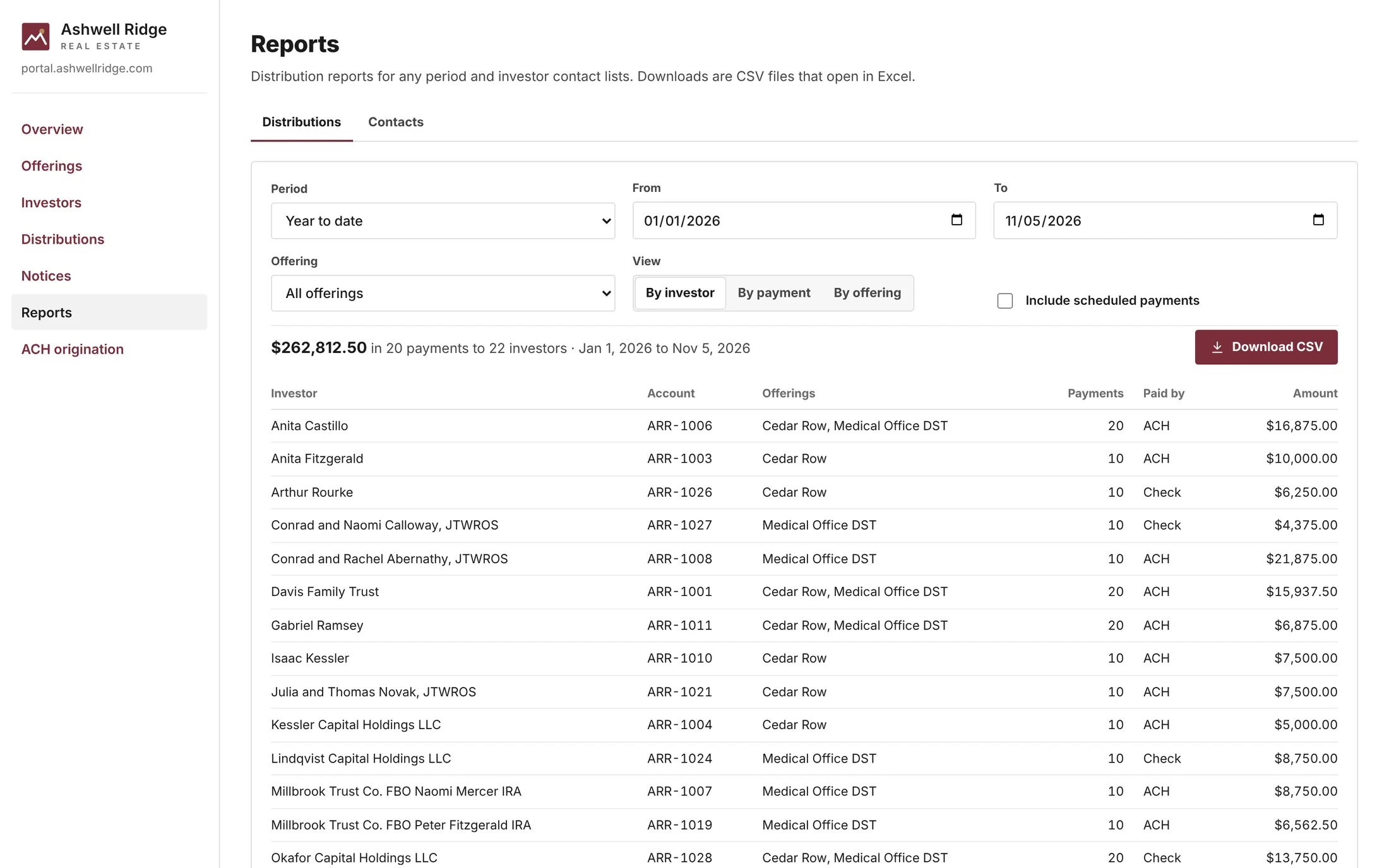
Distribution reports for any period, by investor, payment or offering, with CSV downloads. Investor contact lists never include bank account numbers or taxpayer IDs.
From allocation to bank file, in one place.
Enter a payment by rate or total amount. The console allocates it pro rata by amount invested, to the cent, generates a validated NACHA file for your bank, and records the payment so investors see it in their portal.
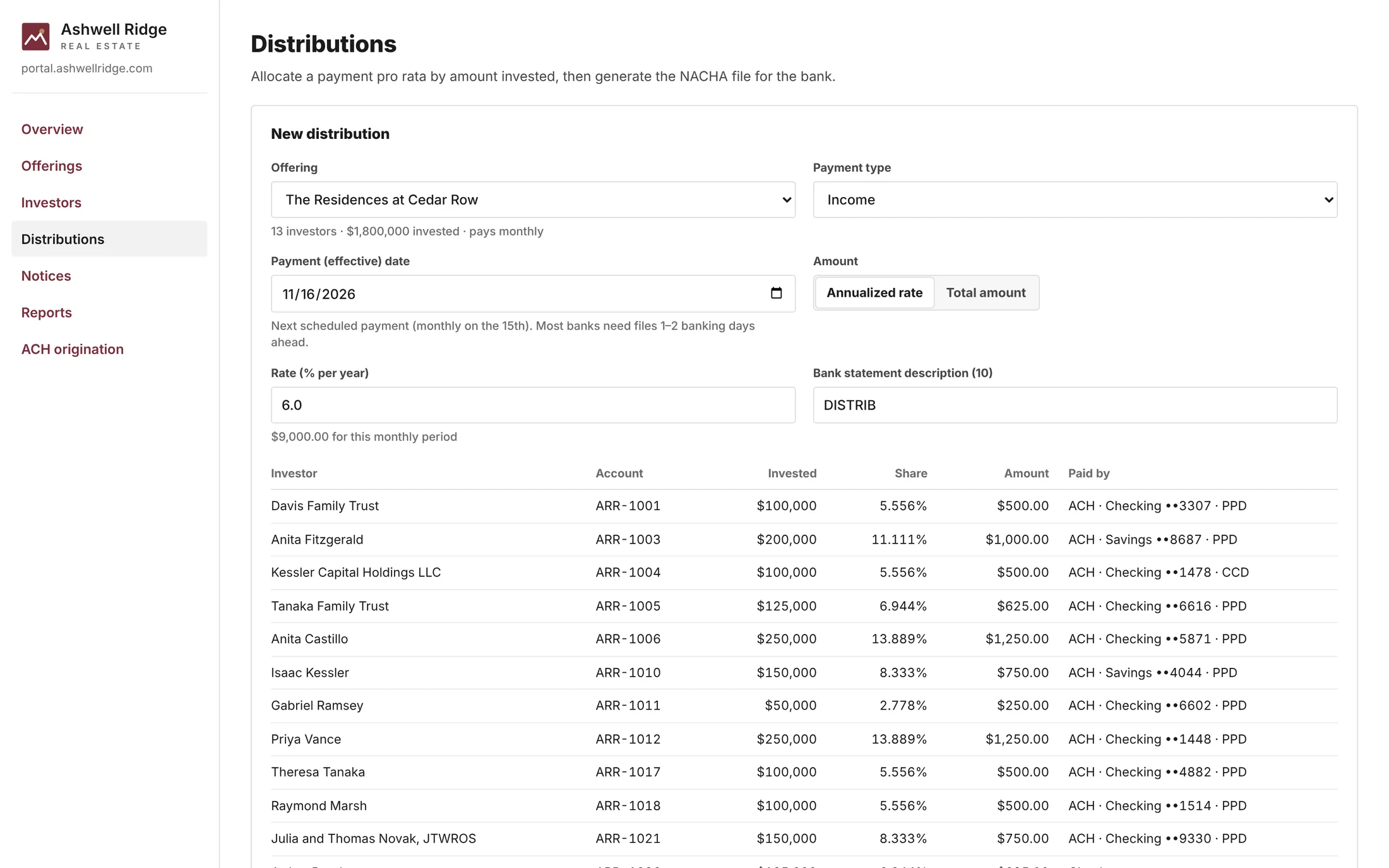
Pro-rata allocation
Every investor's share, amount and payment method before anything is sent.
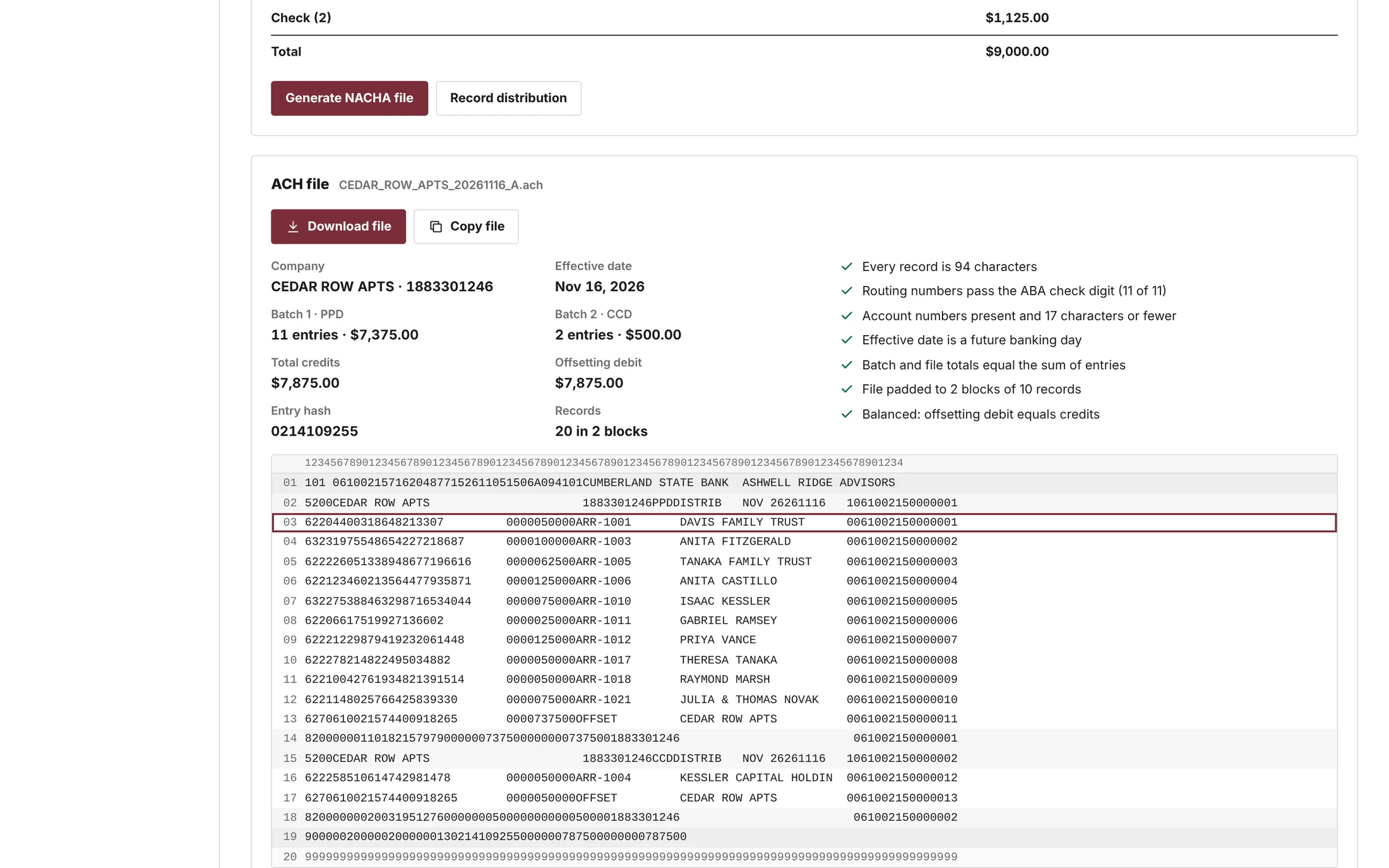
Validated NACHA file
File totals, batches and every validation check, ready to download for your bank.
Standard ACH format
94-character records, blocking factor 10, padded to full blocks.
The right entry class
One batch per SEC code: PPD for individuals, joint accounts and trusts; CCD for entities and IRA custodians.
Checking or savings
Credits to checking or savings accounts, with optional balanced files that include an offsetting debit.
Checked before download
Record length, routing-number check digits, account numbers, a banking-day effective date and totals that reconcile.
Nothing slips through
Entries that fail validation are set aside and listed. Investors without bank details are listed as check payees.
Easy to review
A field-by-field breakdown of any record in the file.
The right view for everyone.
Investors
See only your branded portal. No Carrow & Vale name, and no access to the console.
Your team
Your firm's console in your colors, plus an investor preview to see exactly what each investor sees.
Carrow & Vale
Sets up and maintains your offerings, exit timing, distribution schedules, key terms and ACH settings.
Protecting investor information
- Two-step verification at sign-in
- Only the last four digits of taxpayer IDs are kept
- Bank account changes require re-verification
- Contact exports never include bank account numbers or taxpayer IDs
Three steps to launch.
Send your brand assets
Share your logo, colors and preferred web address. We handle the design.
We build and configure
We set up your portal and console, configure each offering, and test everything with your team.
Investors get access
We send branded invitations, and investors activate in five guided steps.
Give your investors a better experience.
Tell us about your firm and we'll walk you through the portal, reporting and support options that fit.